Product management
Glitter Bulk Price Editor
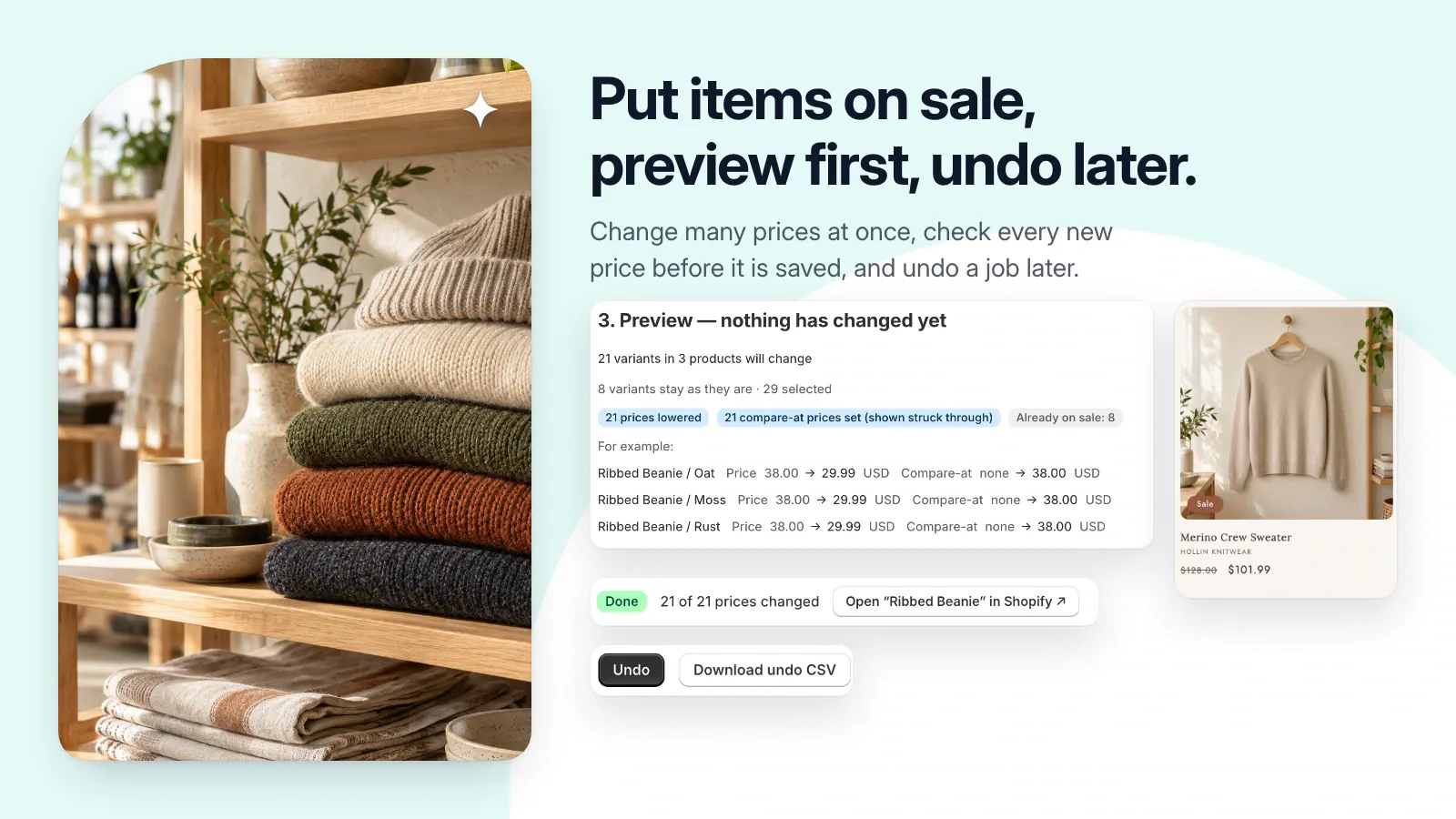
Make price changes in batches, review every before-and-after value, and keep a way to undo the job.
Public installation is not yet available. Launch details will be added when confirmed.
A closer look
See it at work.
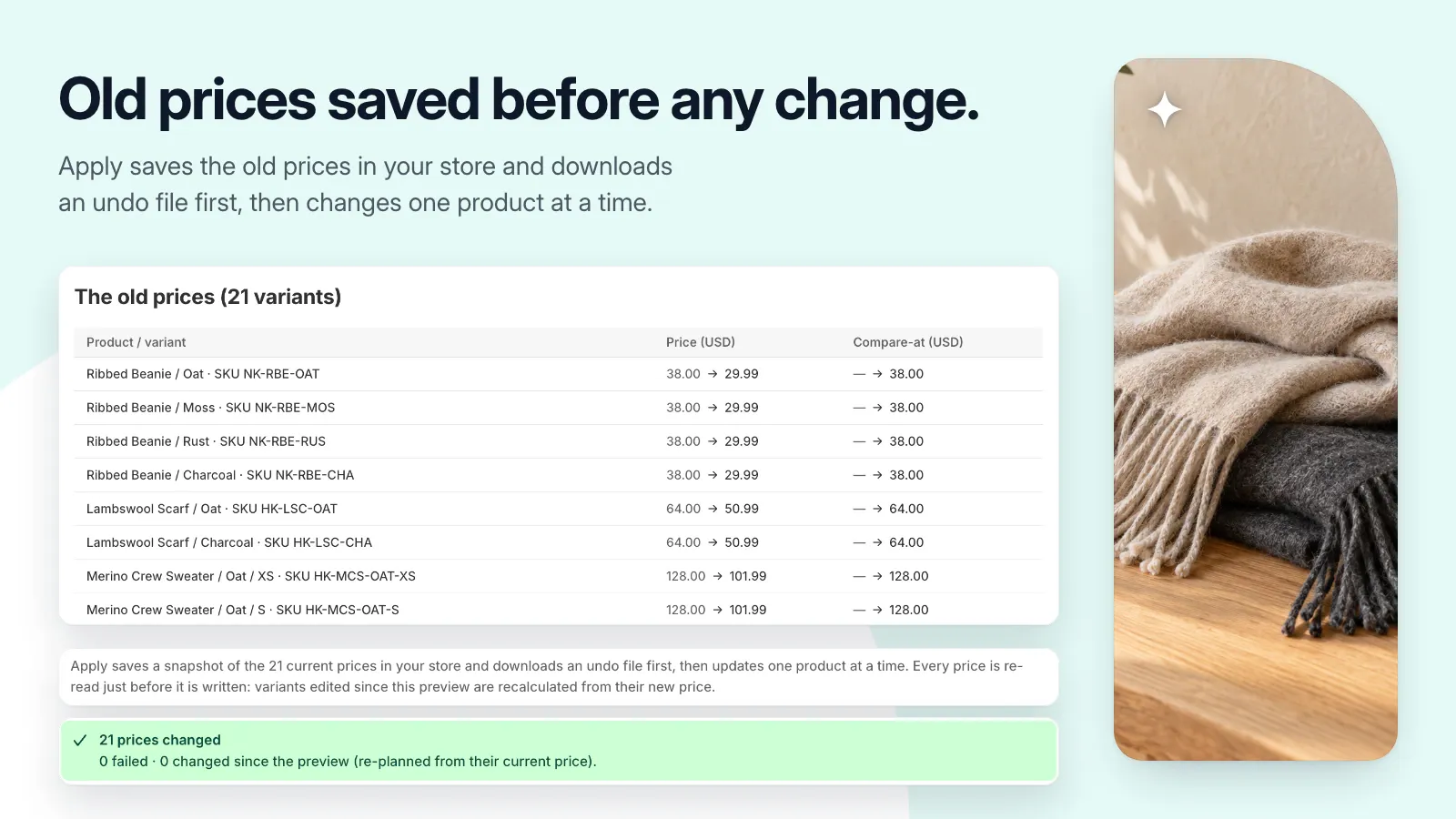

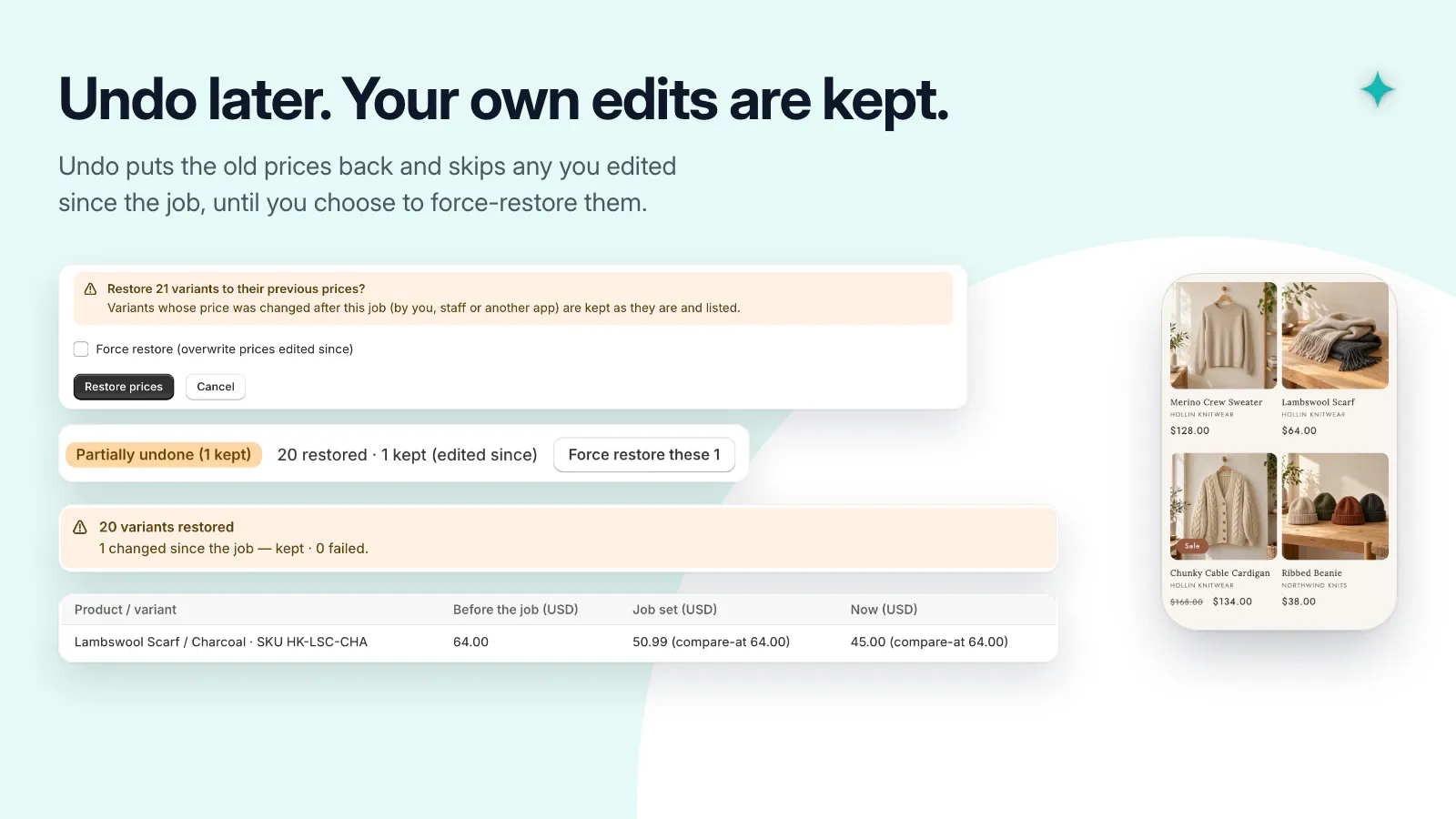
Pictures use a demonstration store and its data. Select one to see it at full size.
A useful little addition to your store.
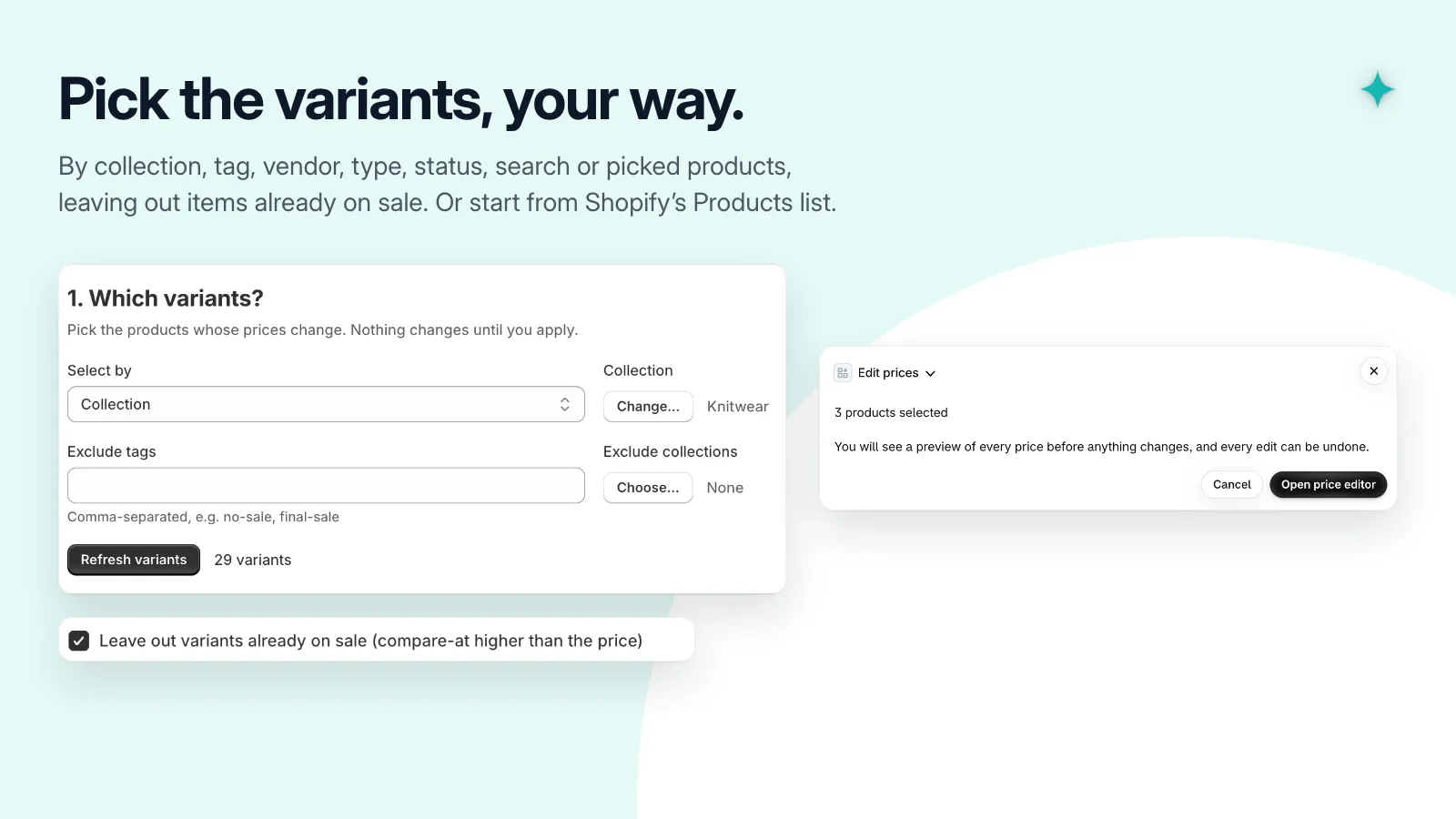
- Select variants by collection, tag, vendor, type, status, or search.
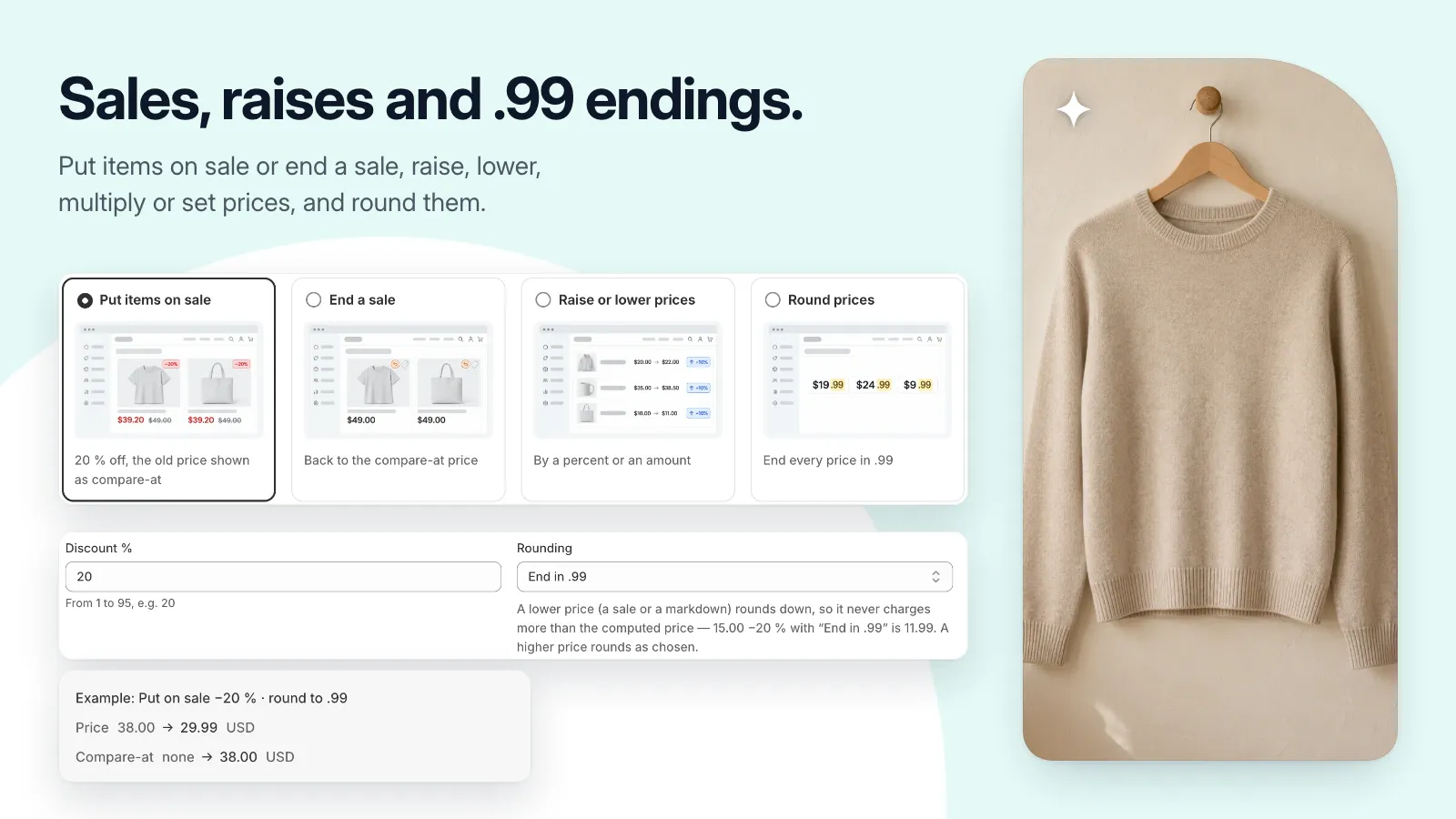
- Apply percentage, fixed amount, or set-price changes with rounding.
- Set compare-at prices or end a sale.
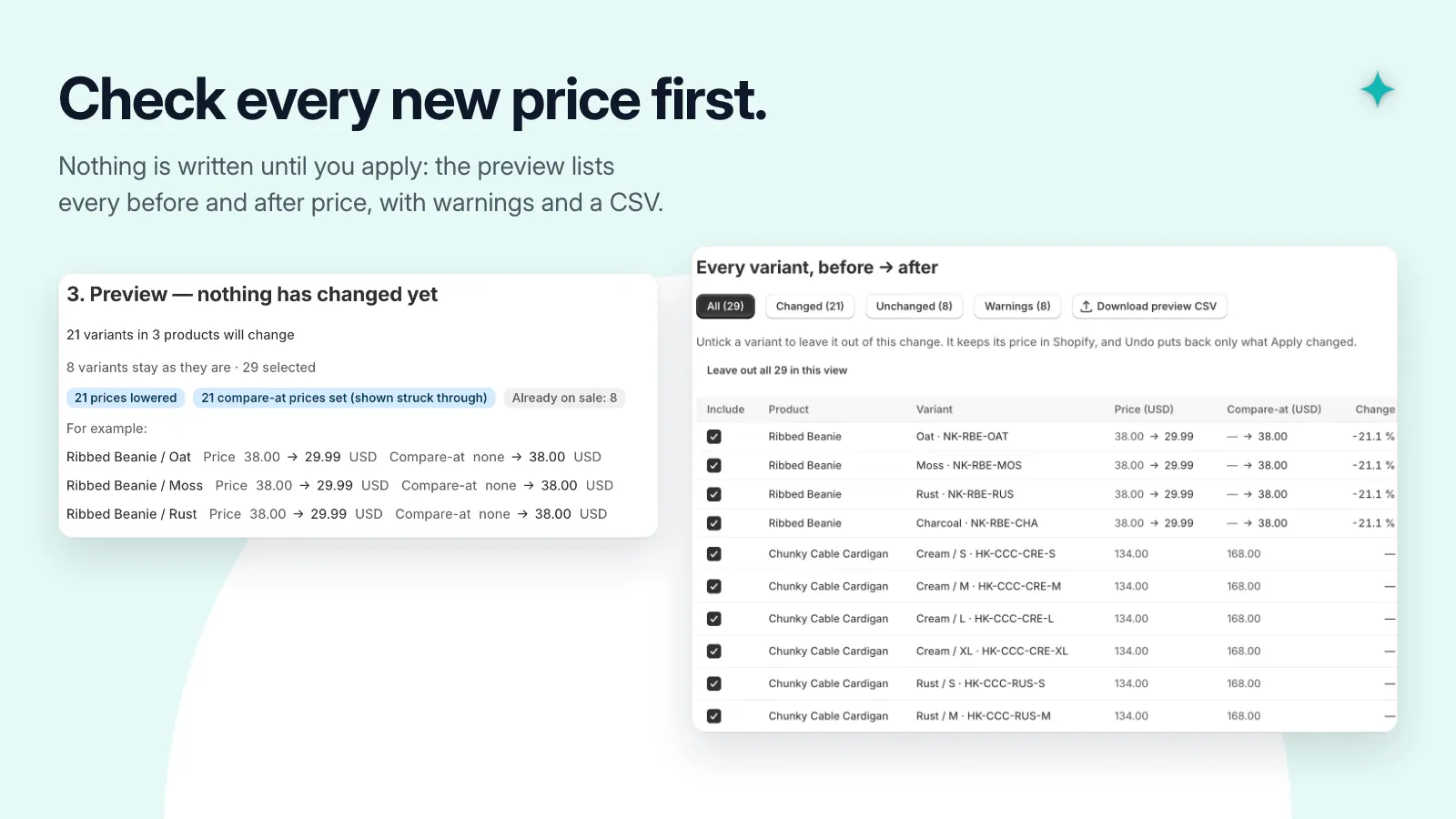
- Preview changes and download a CSV before applying.
- Save an undo file and skip later edits when undoing a job.
Get set up, step by step.
Use this guide when the app becomes available. Finish by checking the result in your own store.
- Choose a small group of variants using your collection, tag, vendor, or search filters.
- Set the price change and any rounding or compare-at-price behavior.
- Read the before-and-after preview, check warnings, and retain the snapshot and undo file.
- Apply with the tab open, then check prices in Shopify and your storefront. Review the job before using undo.