Orders & delivery
Glitter Shipping Estimator
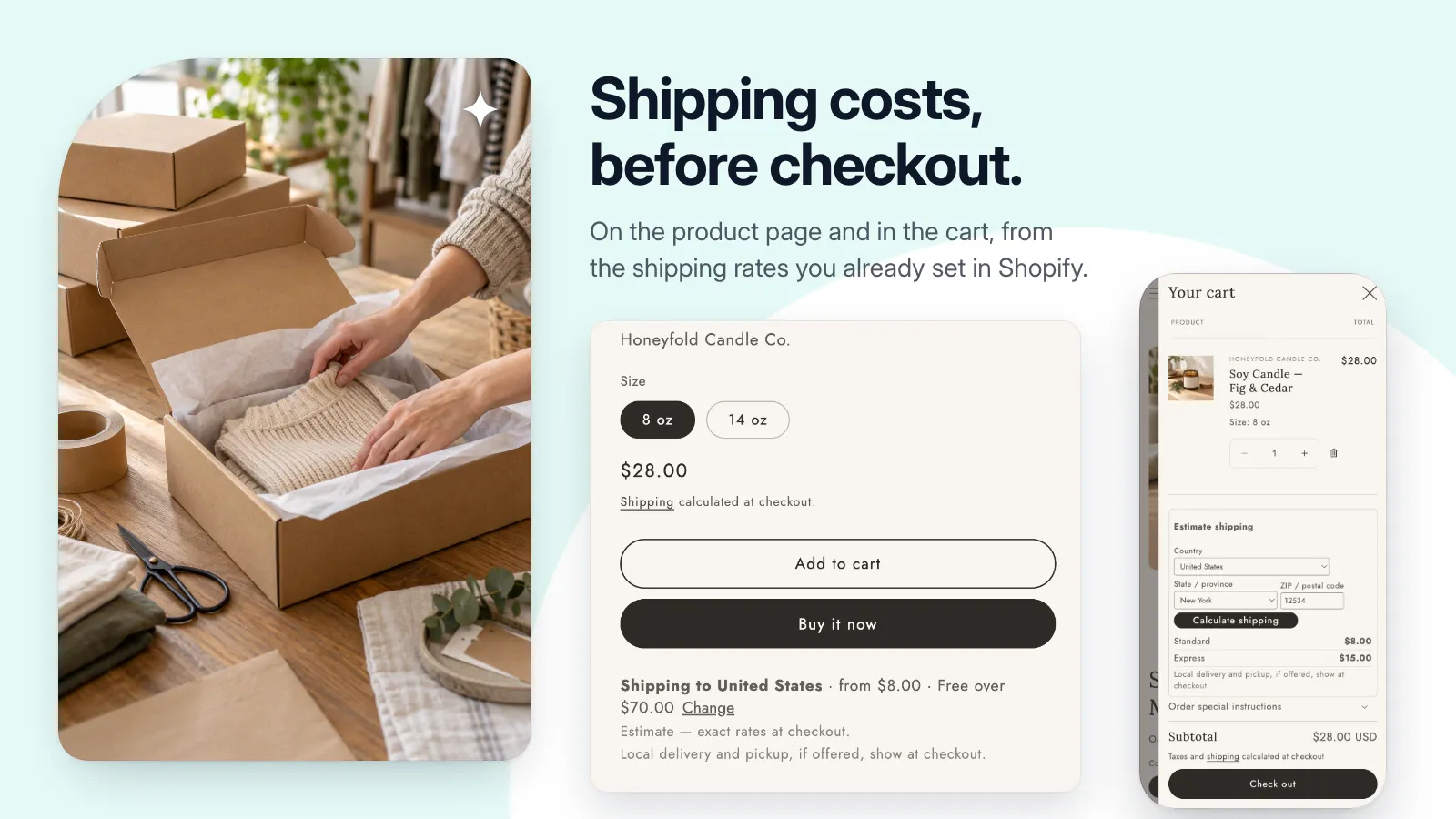
Let shoppers check shipping before checkout, using the shipping rates you already set in Shopify.
Public installation is not yet available. Launch details will be added when confirmed.
A closer look
See it at work.
Pictures use a demonstration store and its data. Select one to see it at full size.
A useful little addition to your store.
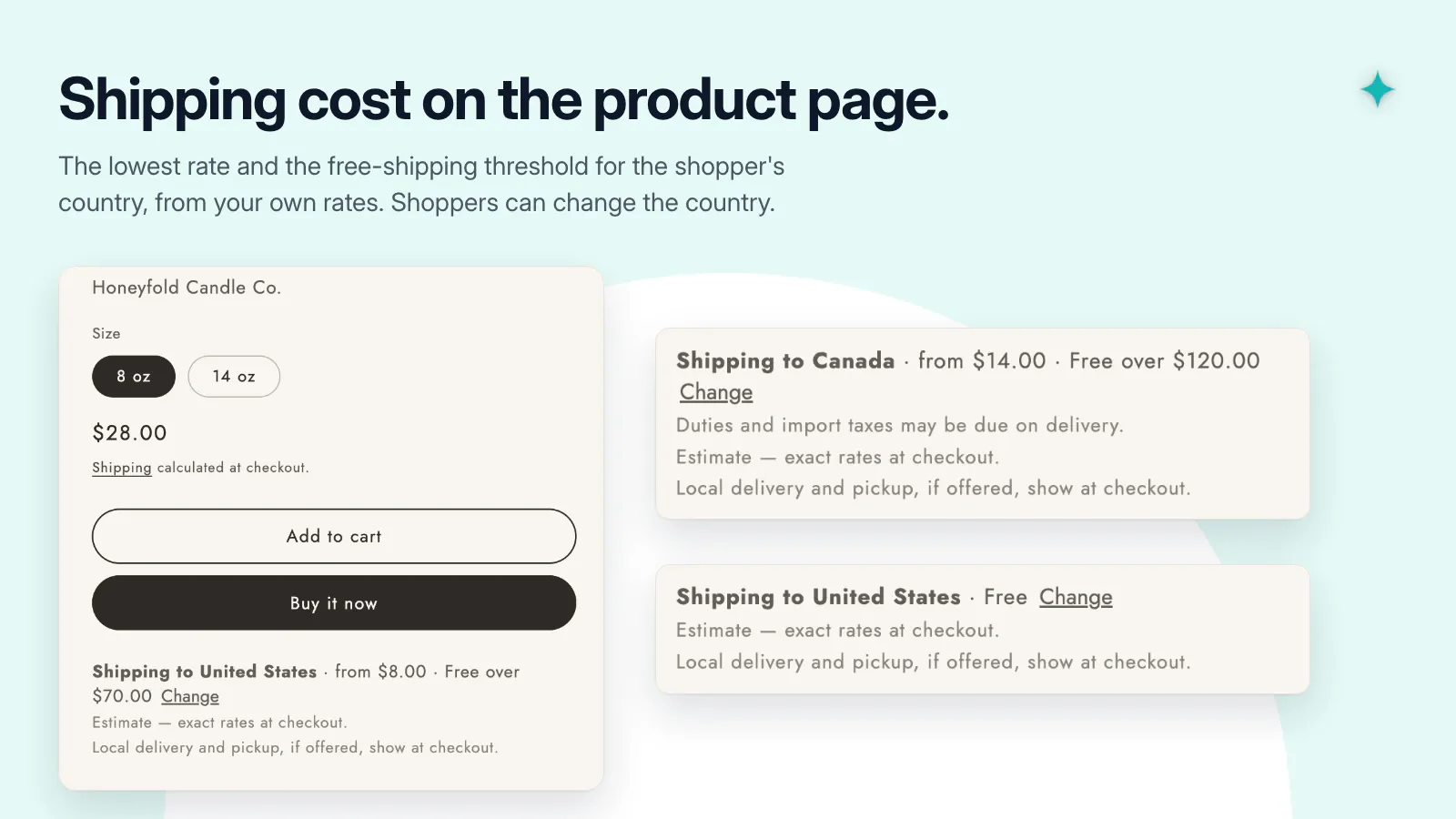
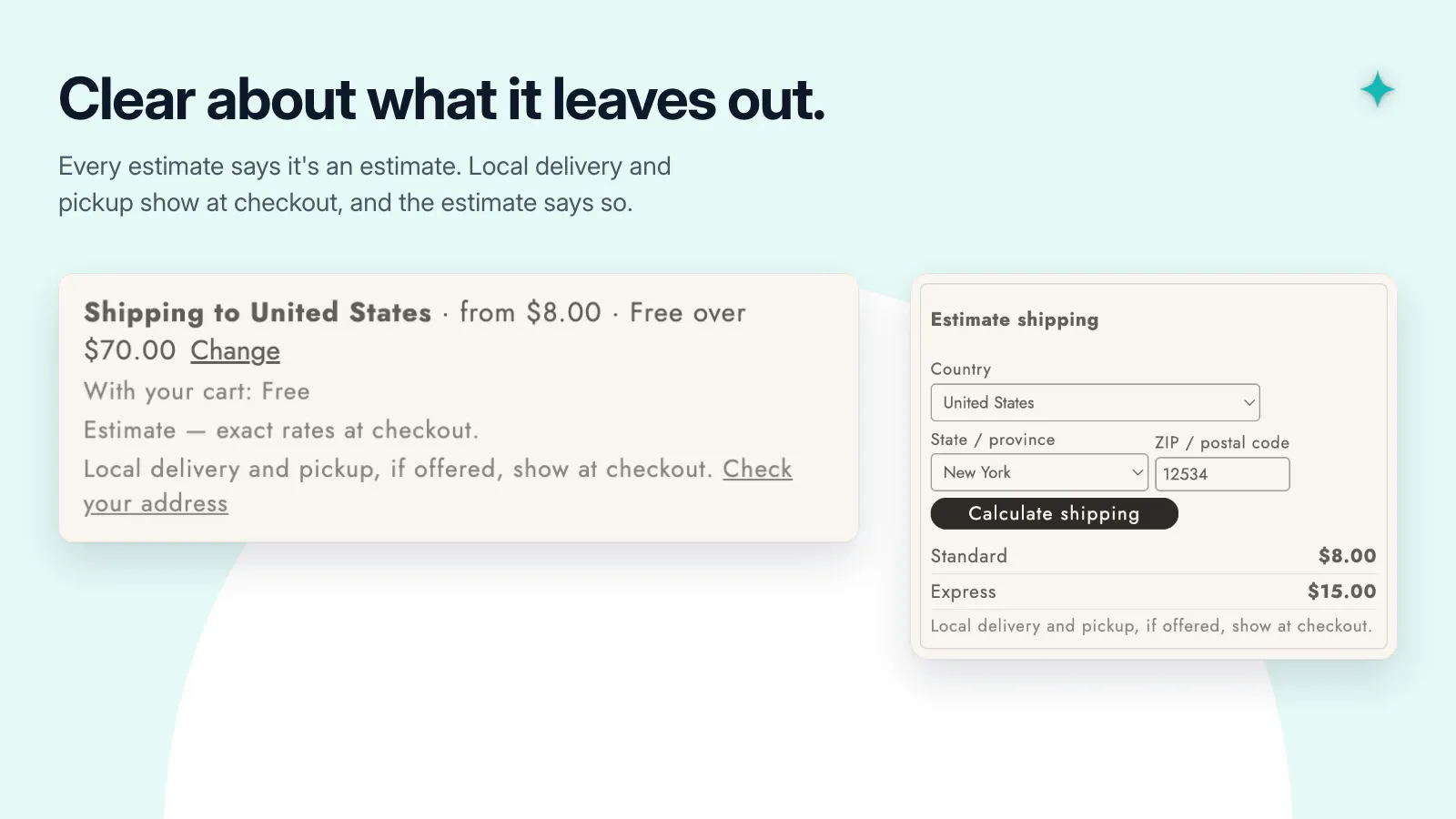
- Show the lowest rate and any free-shipping threshold for a country on the product page.
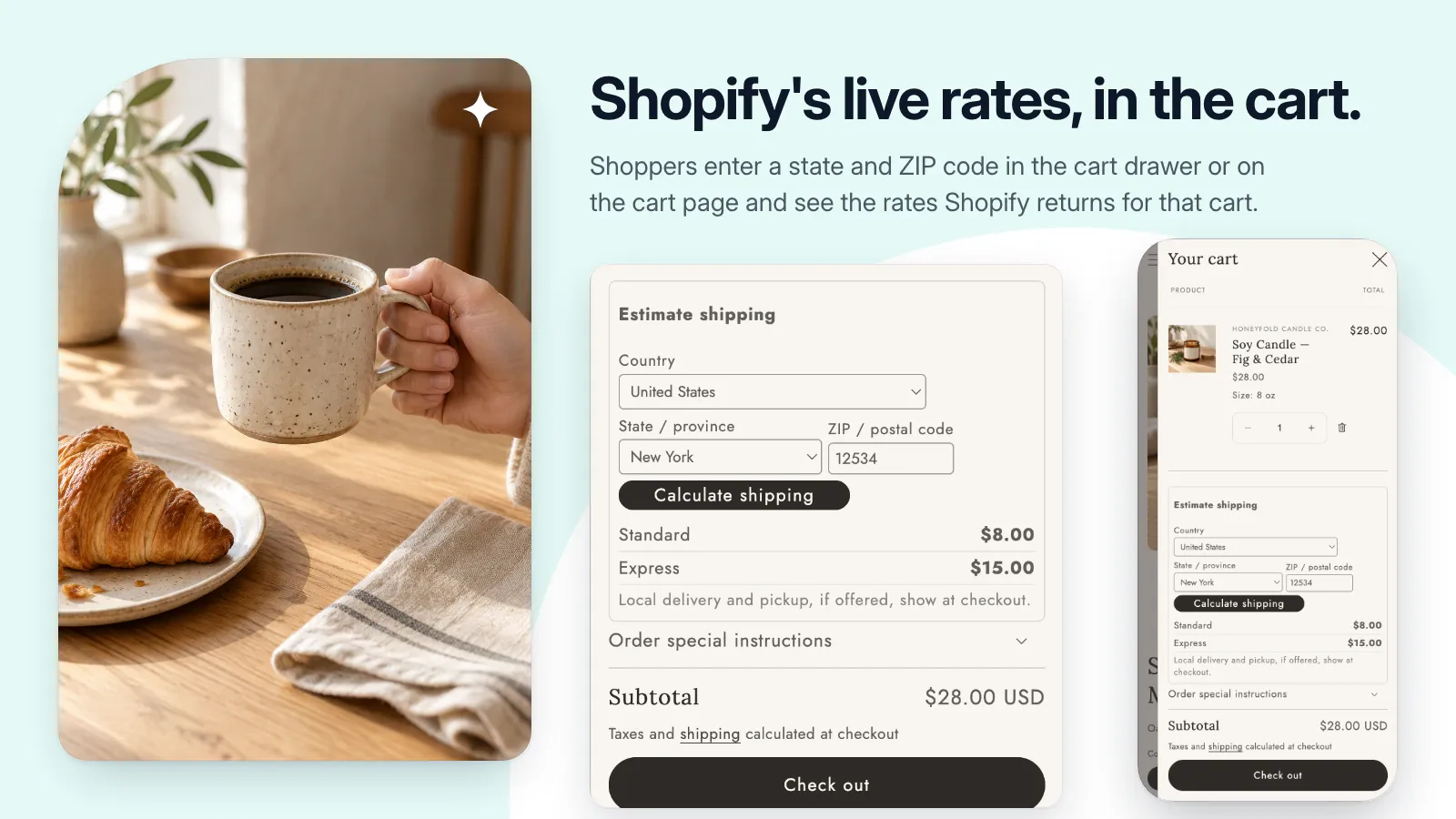
- Show Shopify’s live rates for that cart and address on the cart page and in the cart drawer.
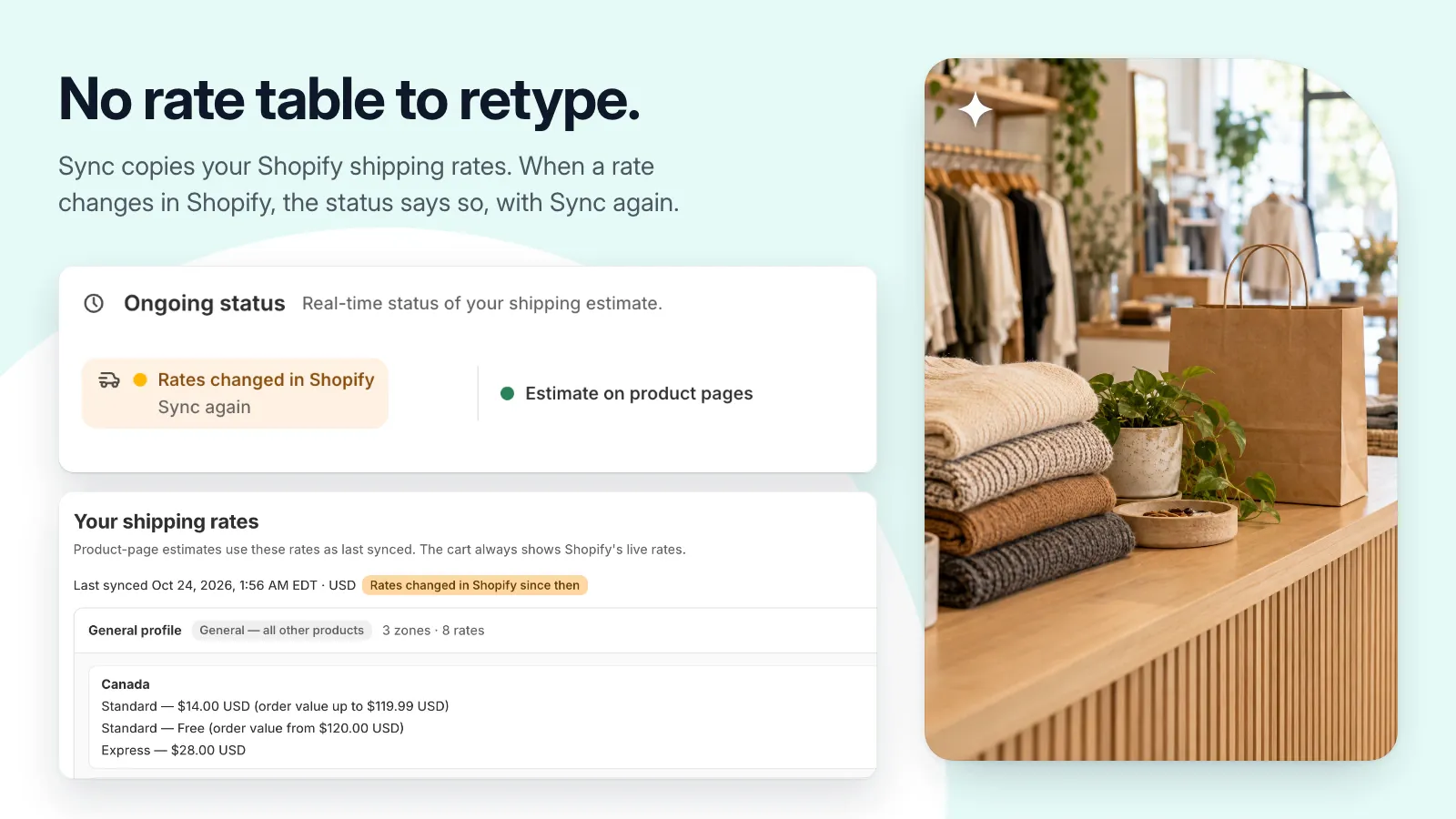
- Use your own shipping settings, with no rate table to retype.
- See when your rates change in Shopify, and sync them again.
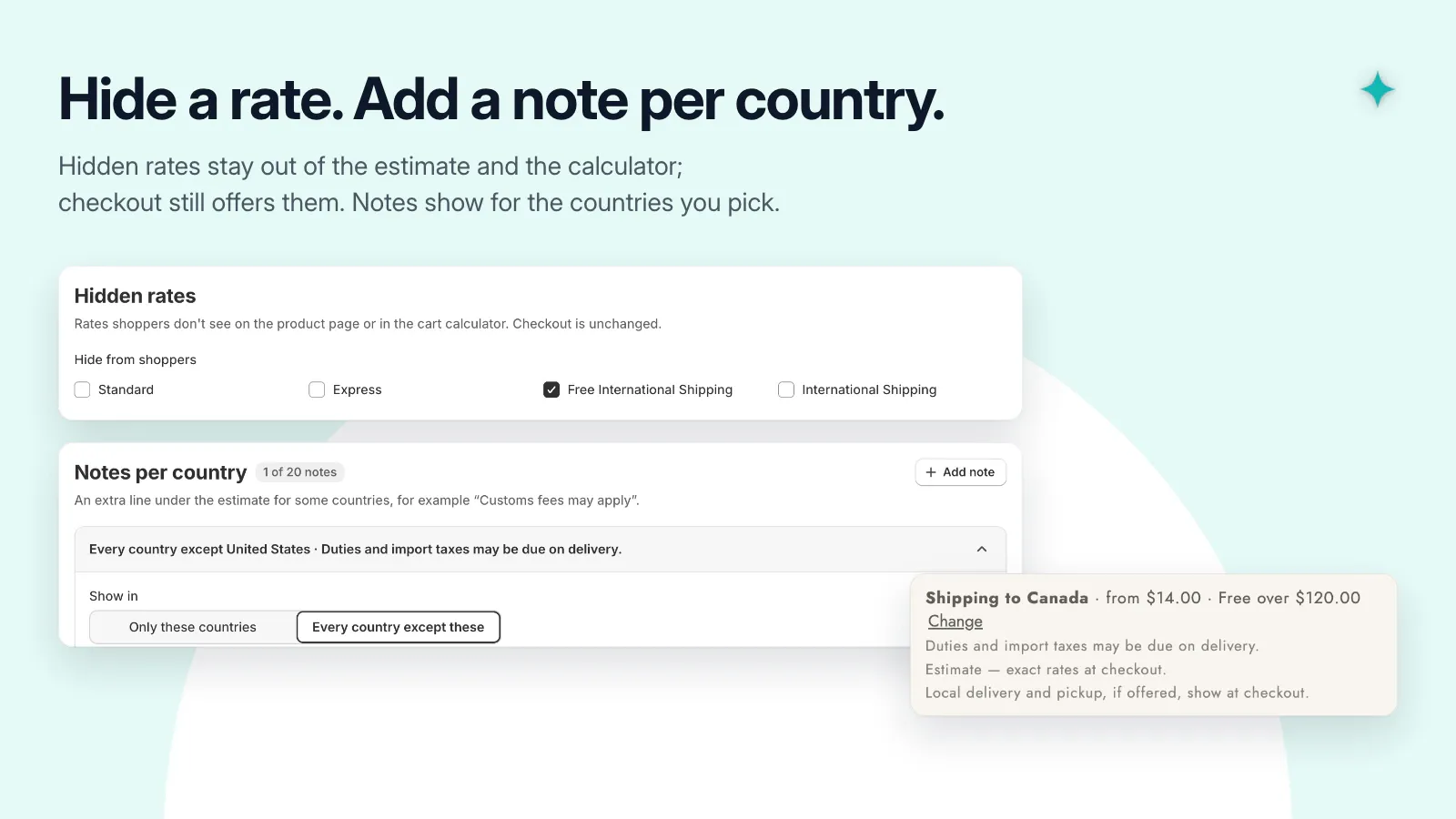
- Hide chosen rate names from the estimate and add notes per country.
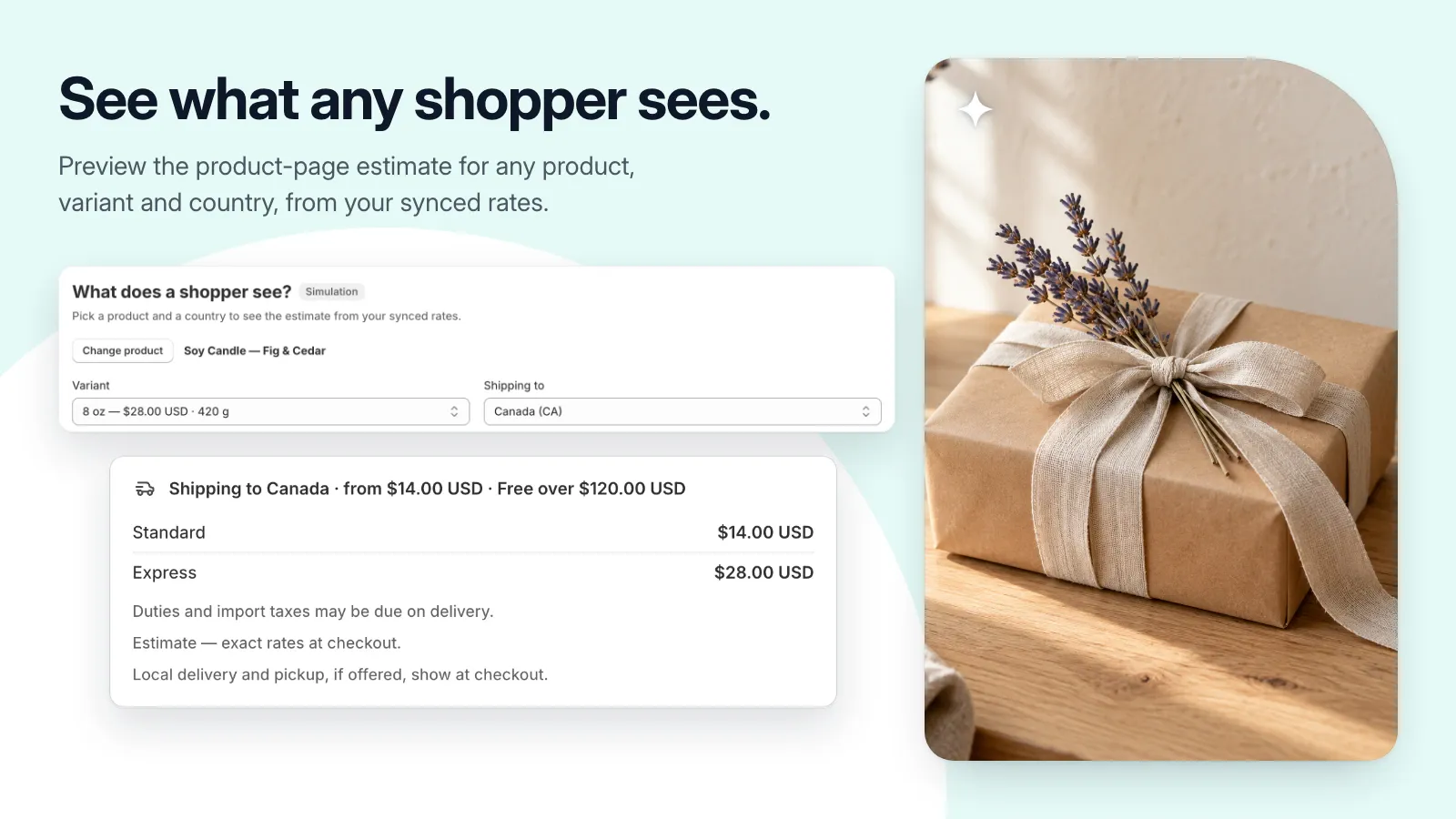
- Preview the product-page estimate for any product, variant, and country.
Get set up, step by step.
Use this guide when the app becomes available. Finish by checking the result in your own store.
- Sync your shipping rates in the app and check that the zones and rates are the ones you expect.
- Add the shipping estimate block to your product template in the theme editor and save.
- Add the calculator block to your cart page, or enable the app embed for the cart drawer, and save.
- Check the estimate on a product page, calculate shipping in the cart, and compare both with your checkout.