Inventory & reports
Glitter Inventory Value
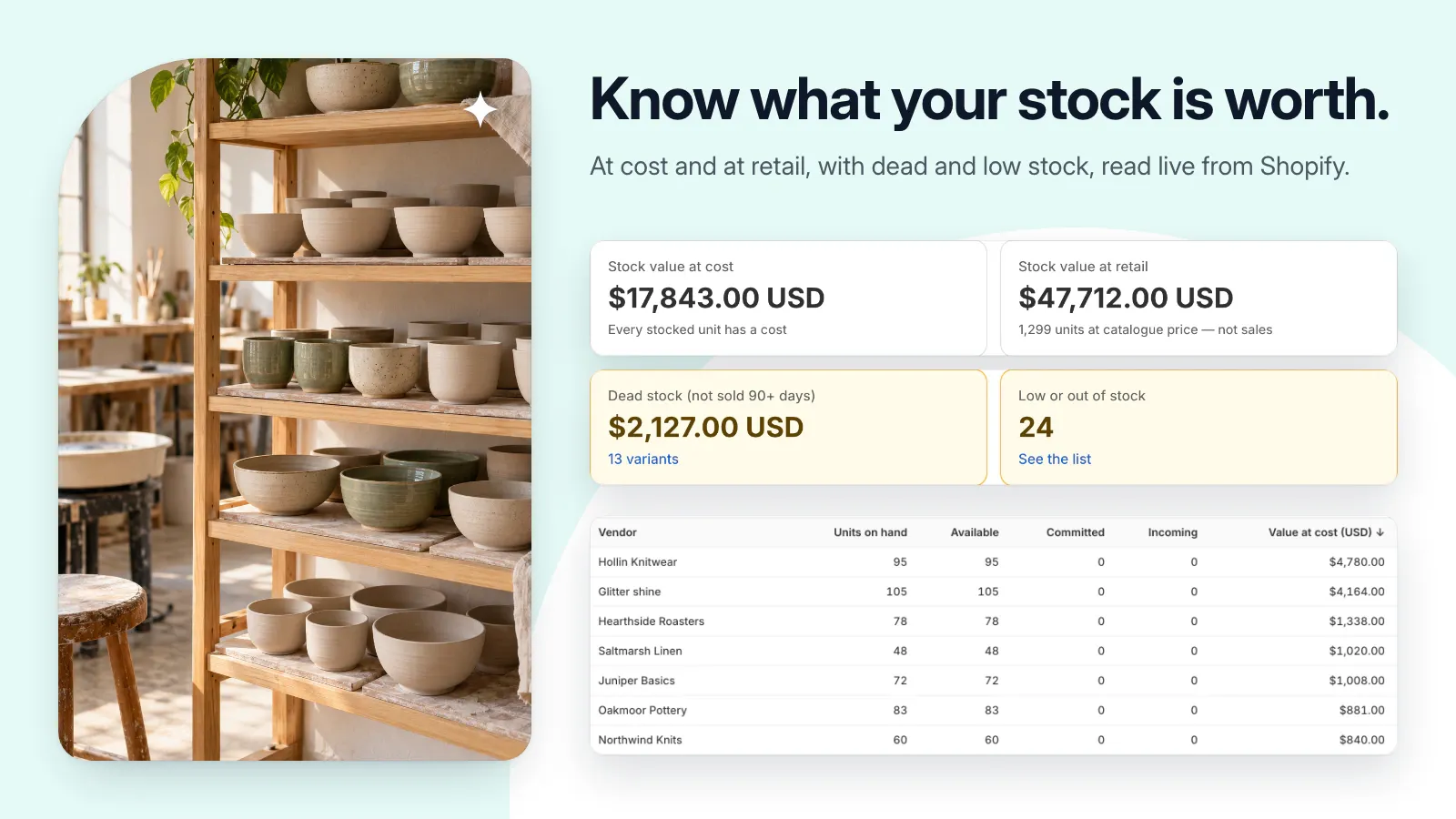
Understand your stock value, spot low or slow-moving inventory, and save a clearer picture of your catalog.
Public installation is not yet available. Launch details will be added when confirmed.
A closer look
See it at work.
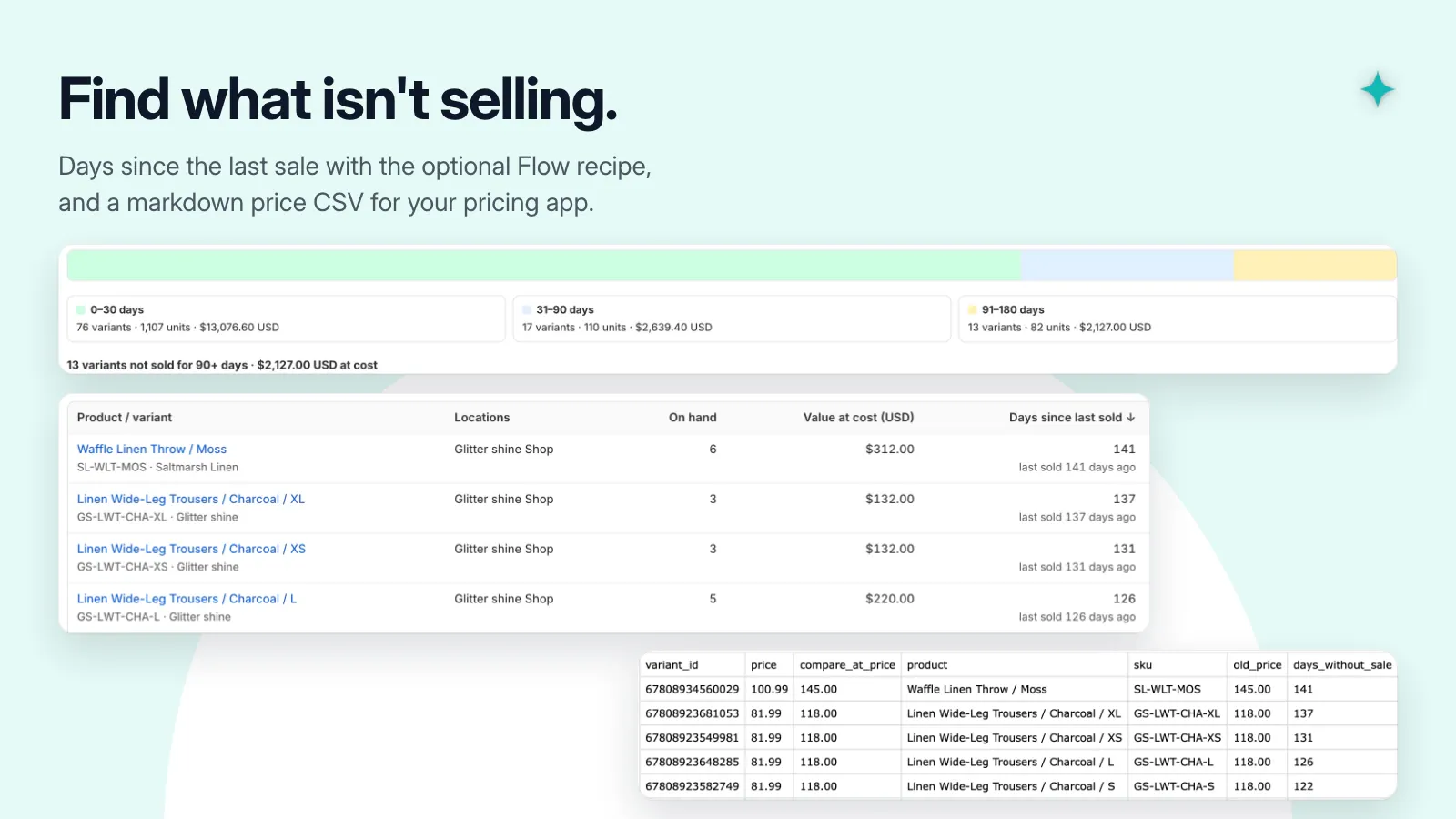
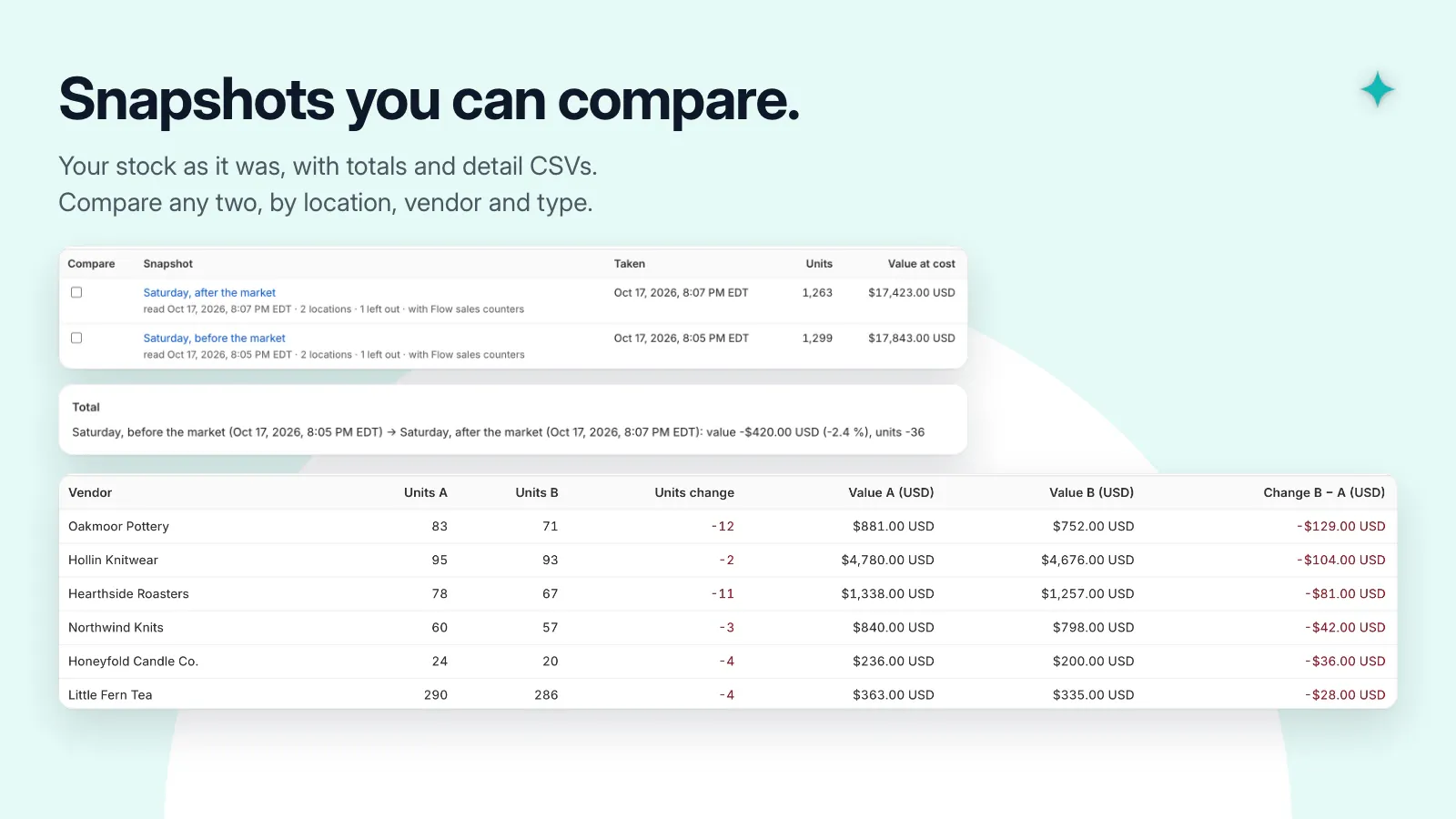
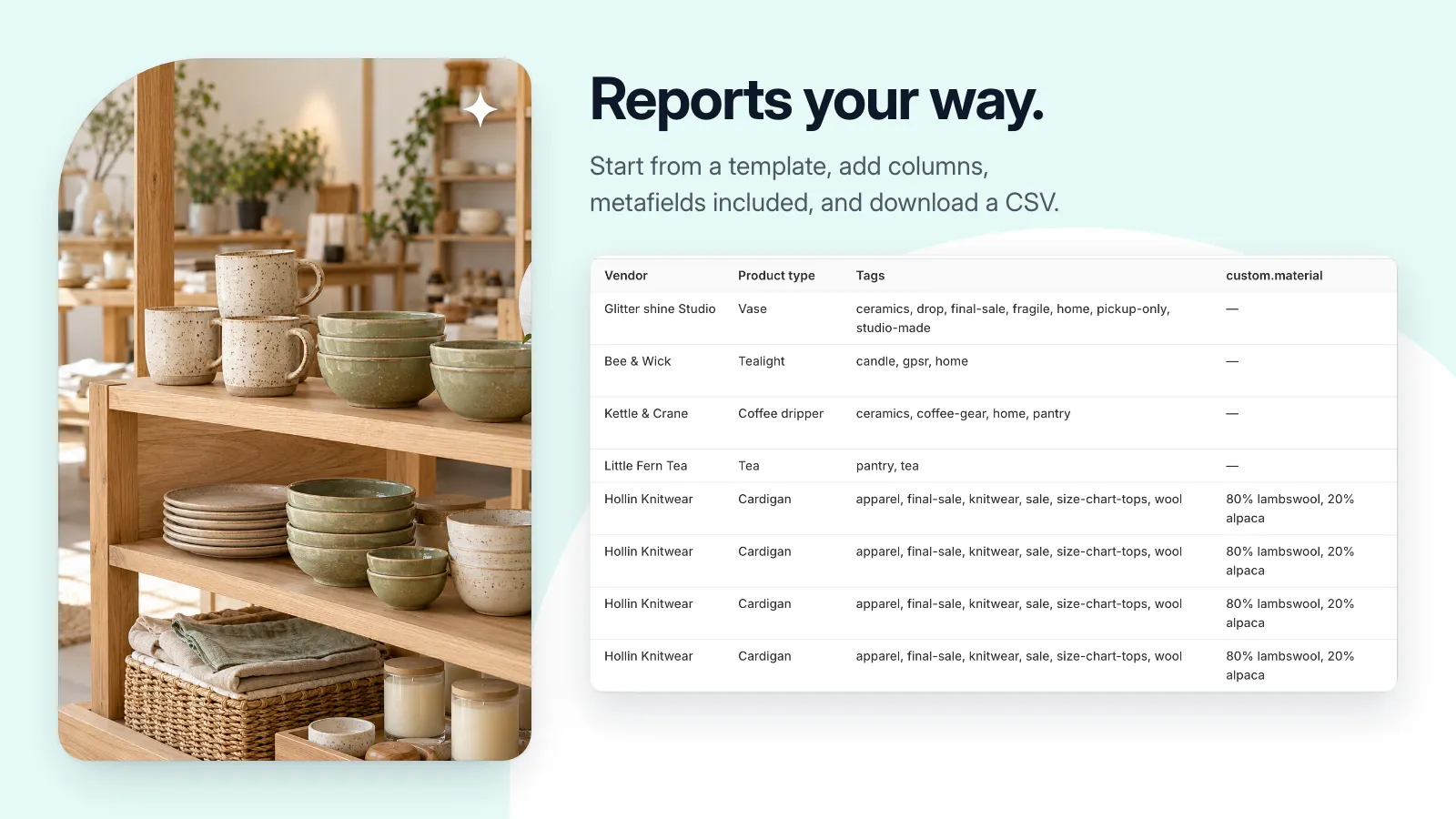
Pictures use a demonstration store and its data. Select one to see it at full size.
A useful little addition to your store.
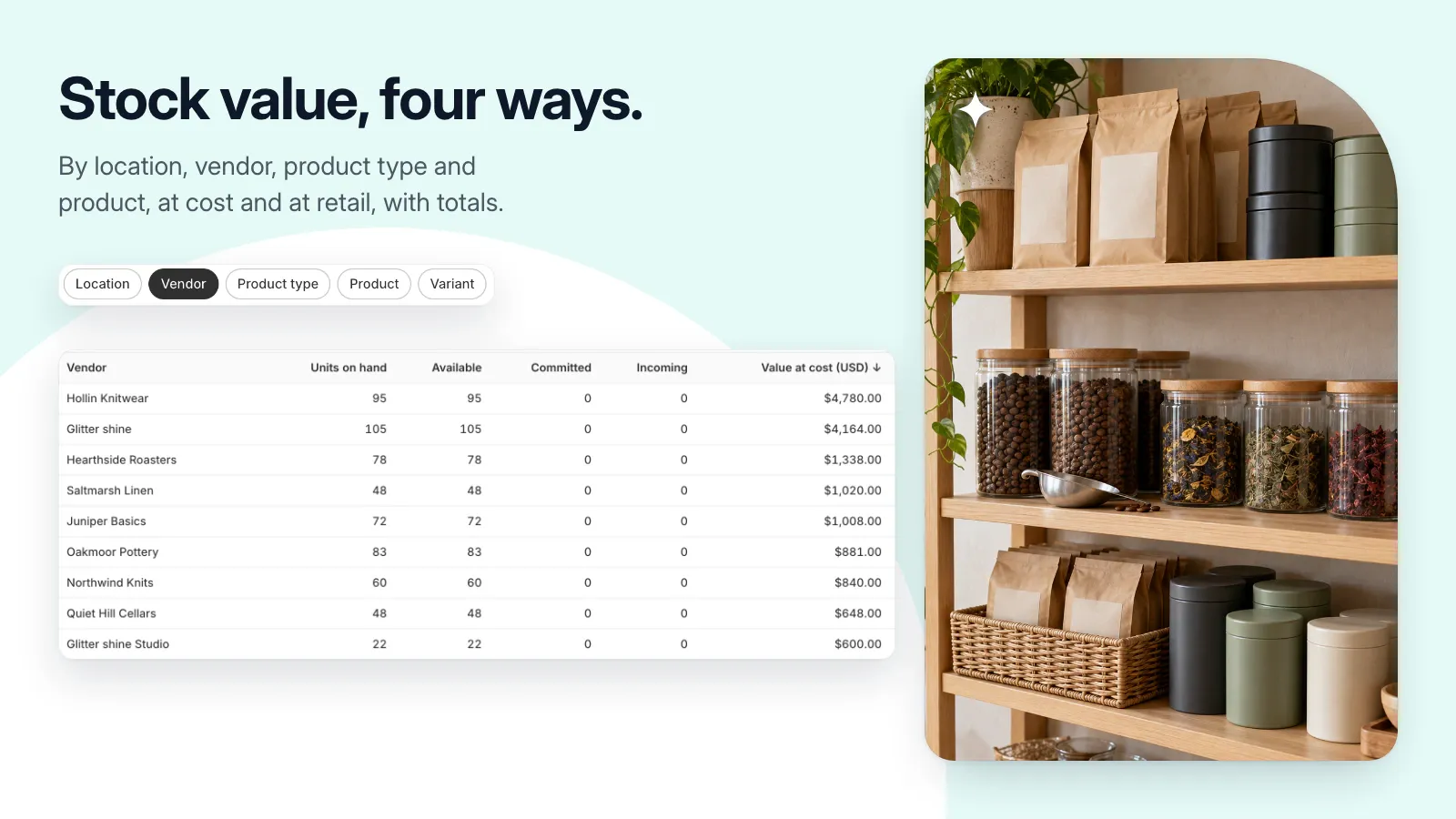
- View inventory value at cost and retail by location, vendor, type, or product.
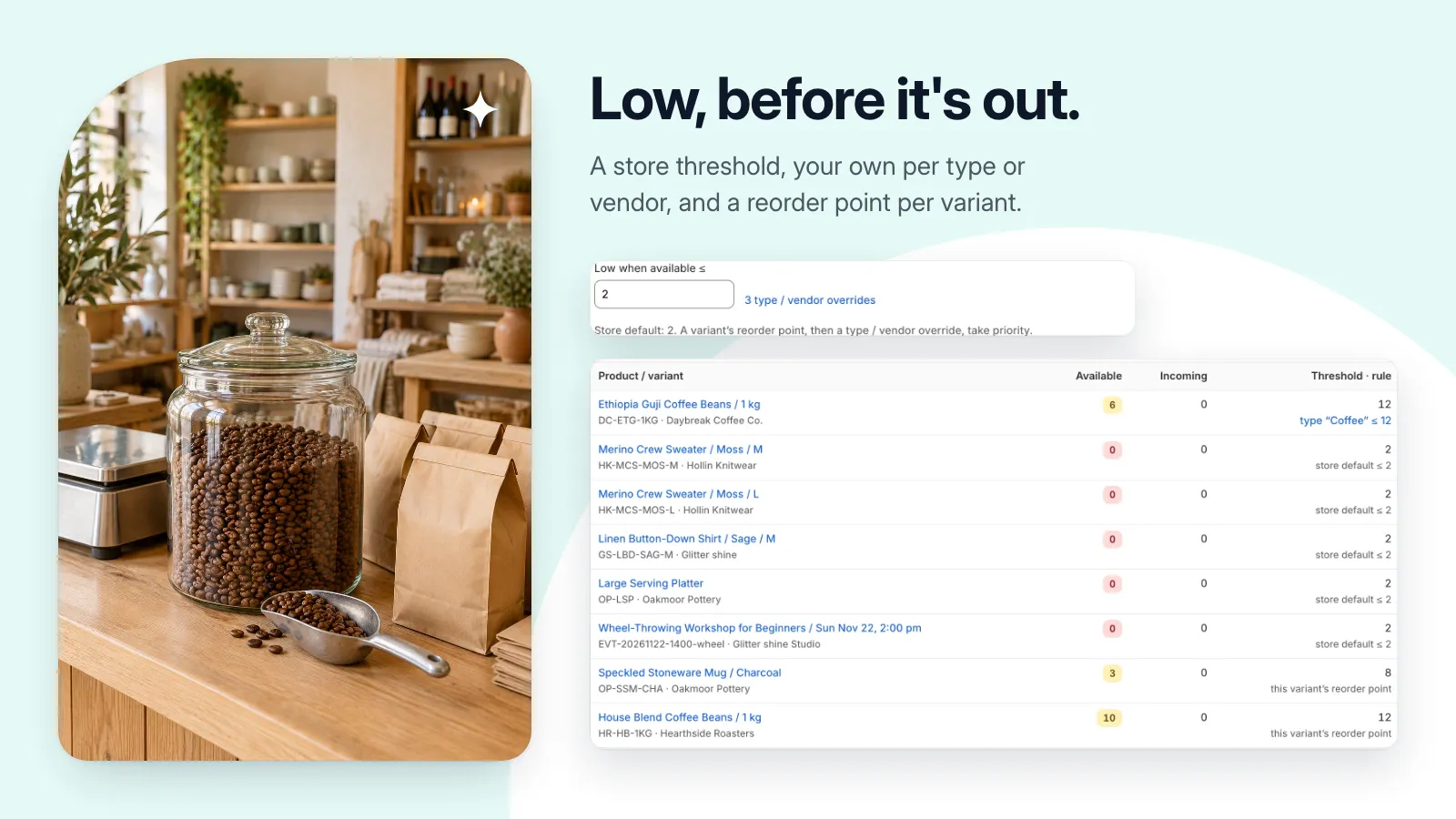
- Review low-stock and out-of-stock lists with configurable thresholds.
- Export dead and slow-moving stock to CSV.
- Save inventory snapshots and compare two periods.
- Build reports from templates with custom columns and export the results.
Get set up, step by step.
Use this guide when the app becomes available. Finish by checking the result in your own store.
- Review the locations you want to include and the availability of Cost per item data in Shopify.
- Scan your inventory, then open the stock value report and review its date, currency, scope, and missing-cost warnings.
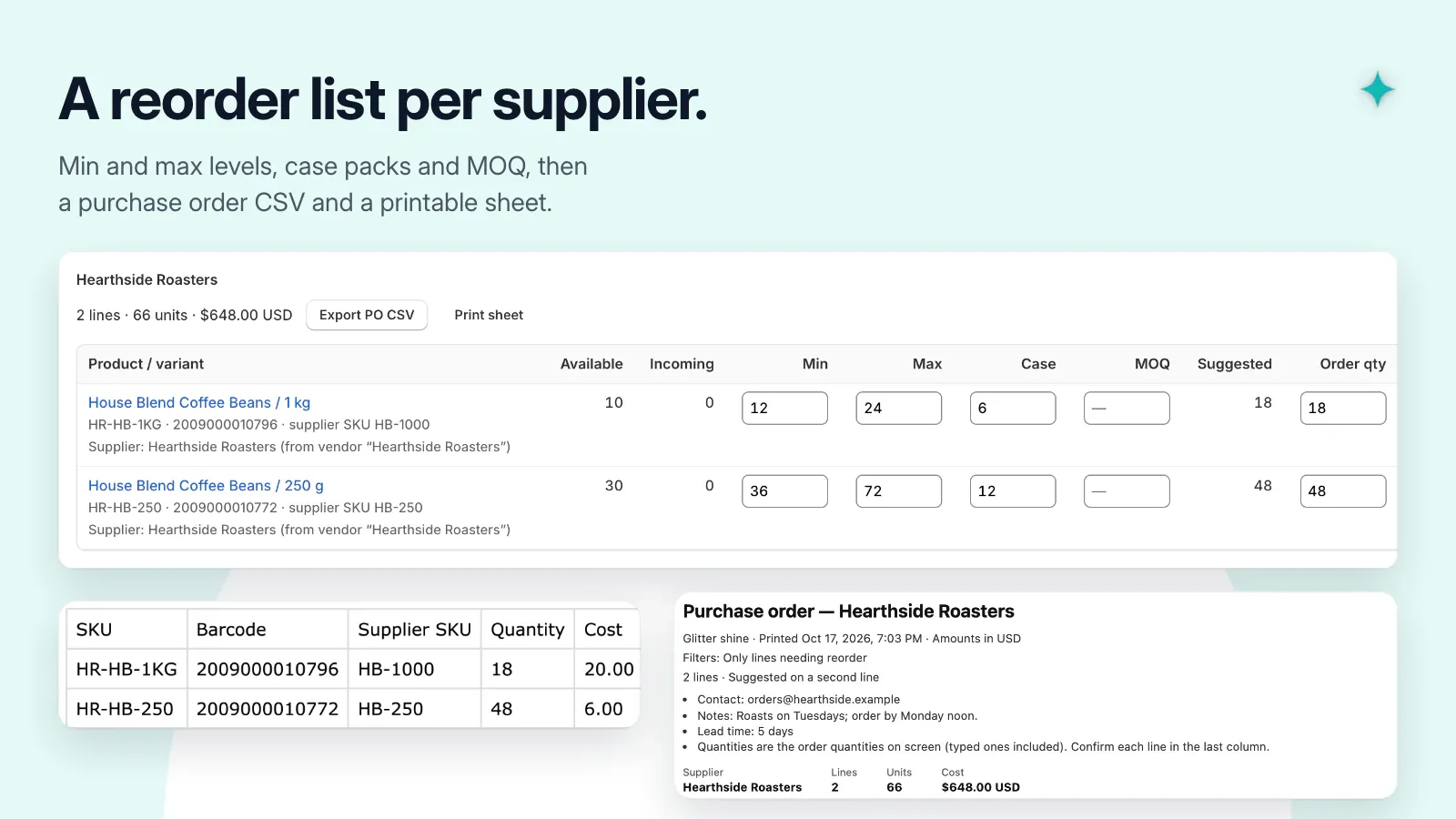
- Set low-stock thresholds if needed. Export a CSV and check a sample of the results.
- Save a snapshot for a period-end record. To compare periods, scan again later and save a second snapshot with the same location scope.