Product management
Glitter Metafield CSV
Take your metafields to a spreadsheet, make your changes, and bring them back with a checked preview.
Public installation is not yet available. Launch details will be added when confirmed.
A closer look
See it at work.
Pictures use a demonstration store and its data. Select one to see it at full size.
A useful little addition to your store.
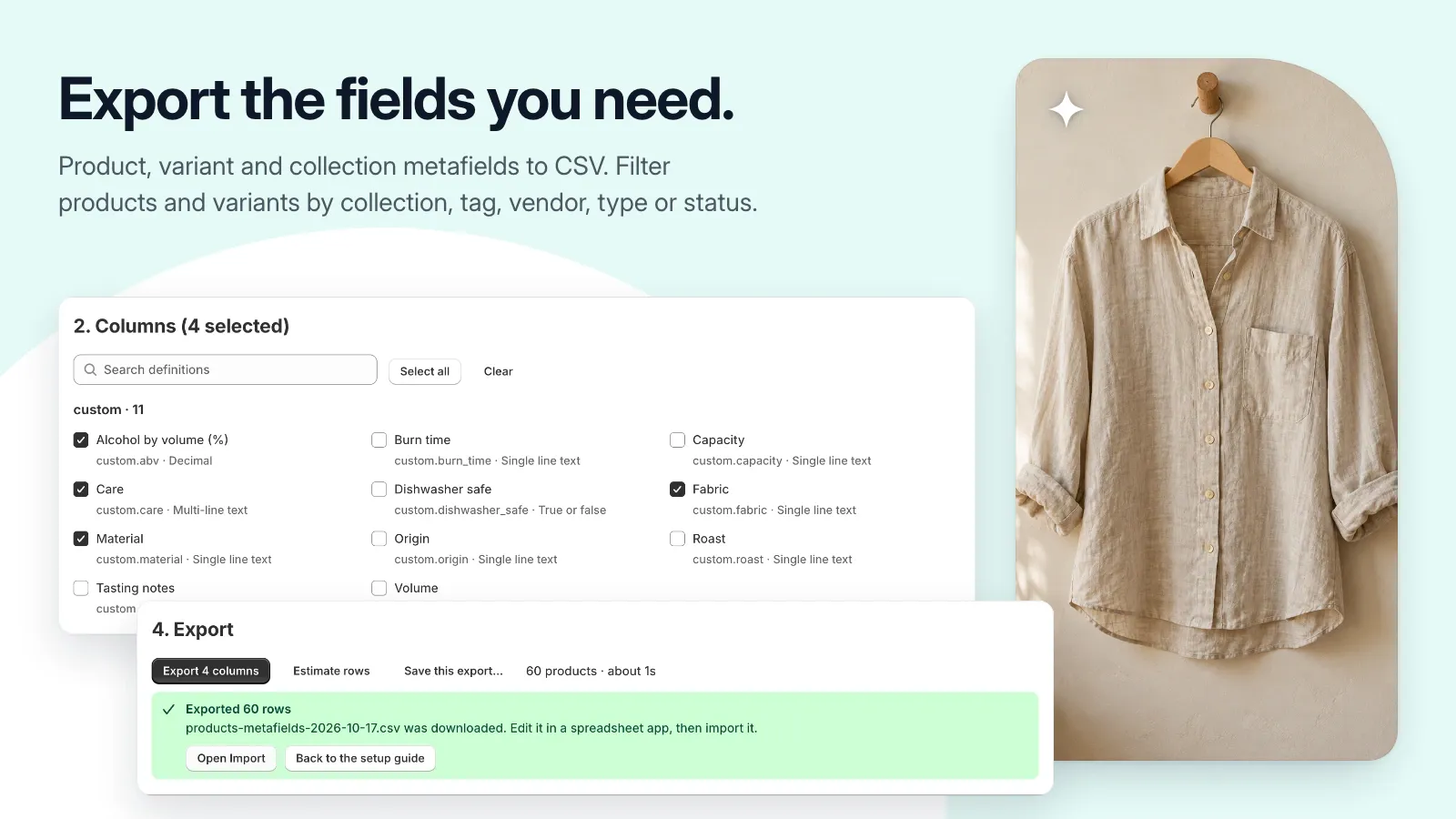
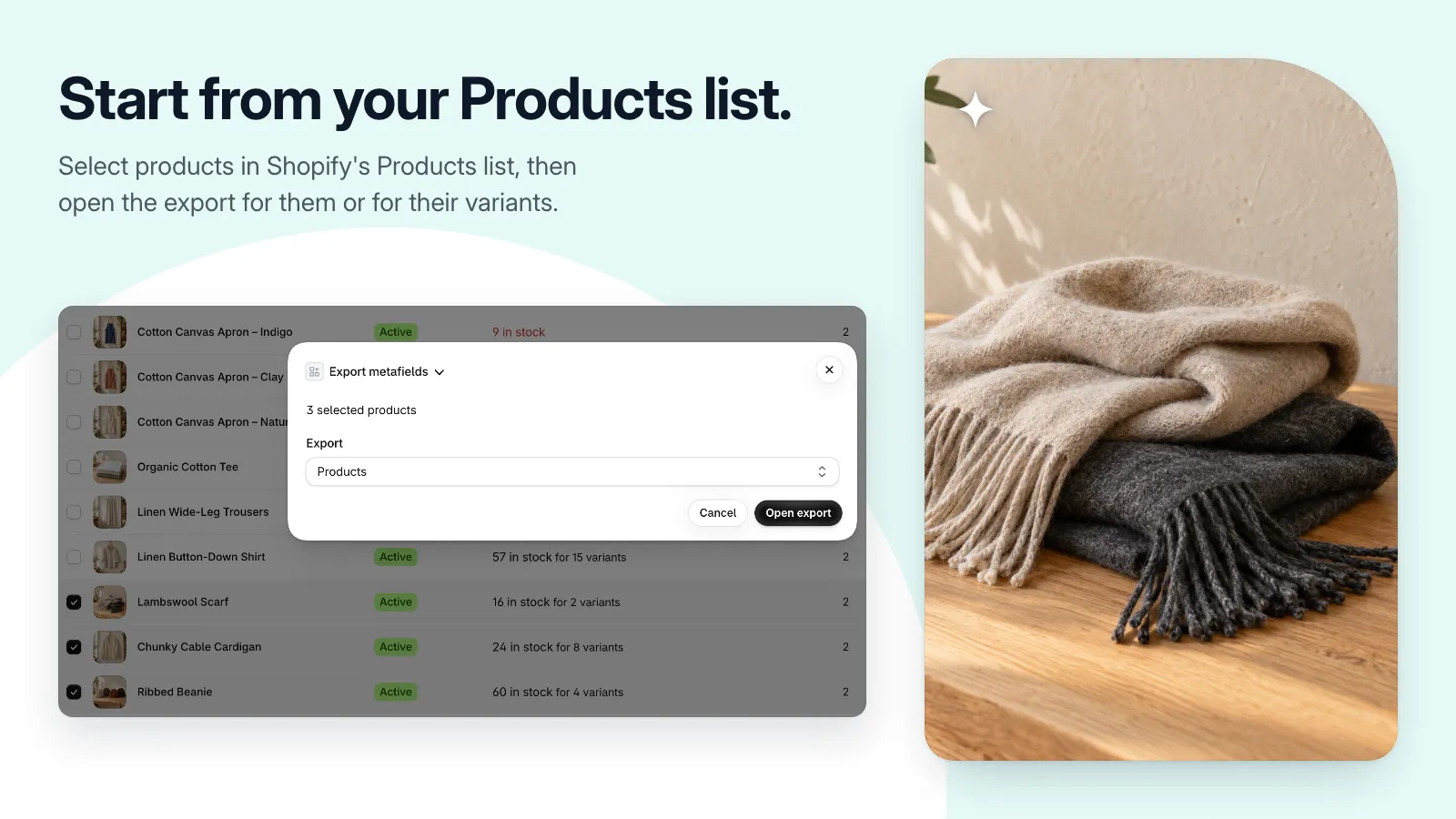
- Export product, variant, and collection metafields to CSV.
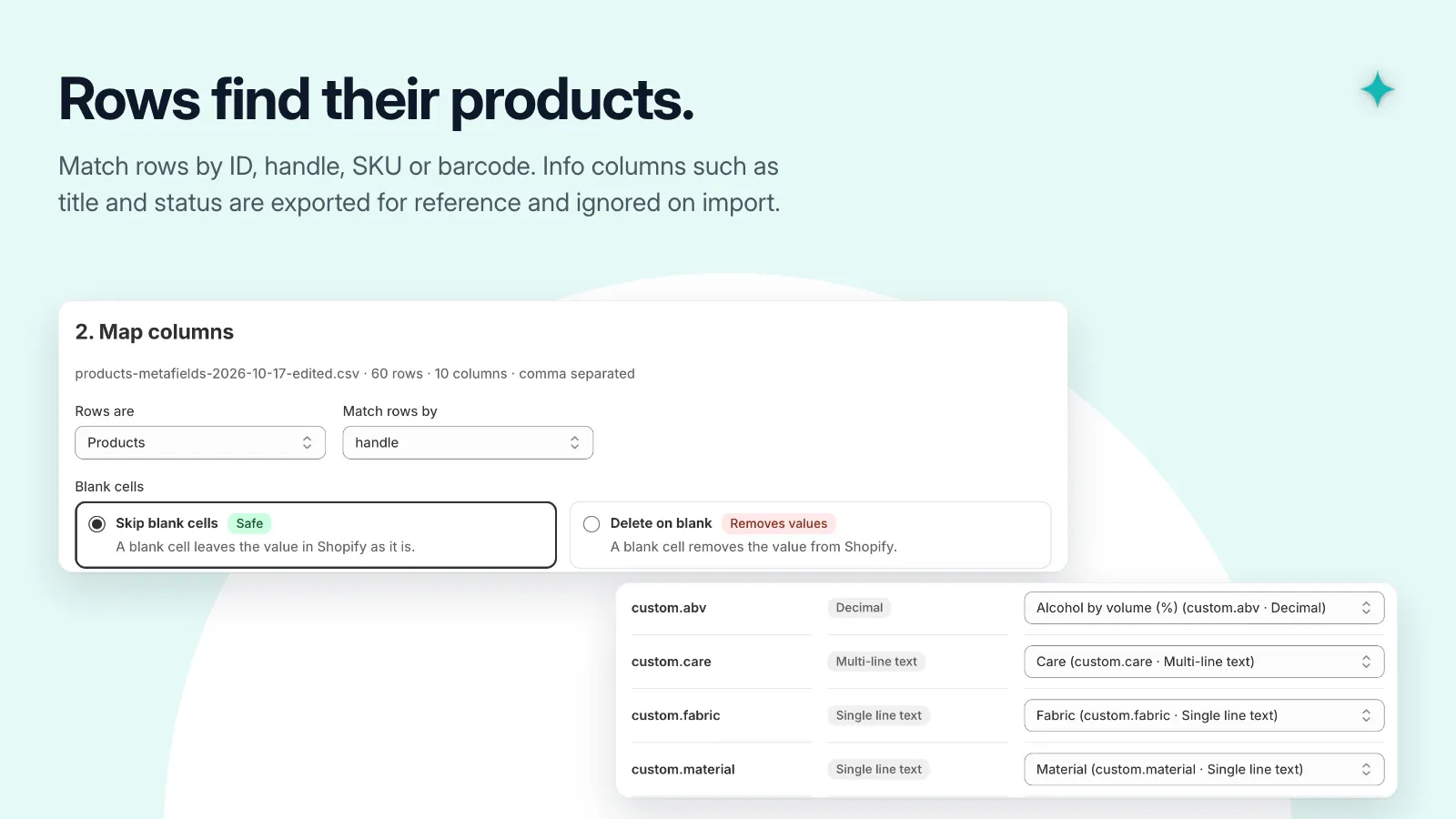
- Match rows by ID, handle, SKU, or barcode.
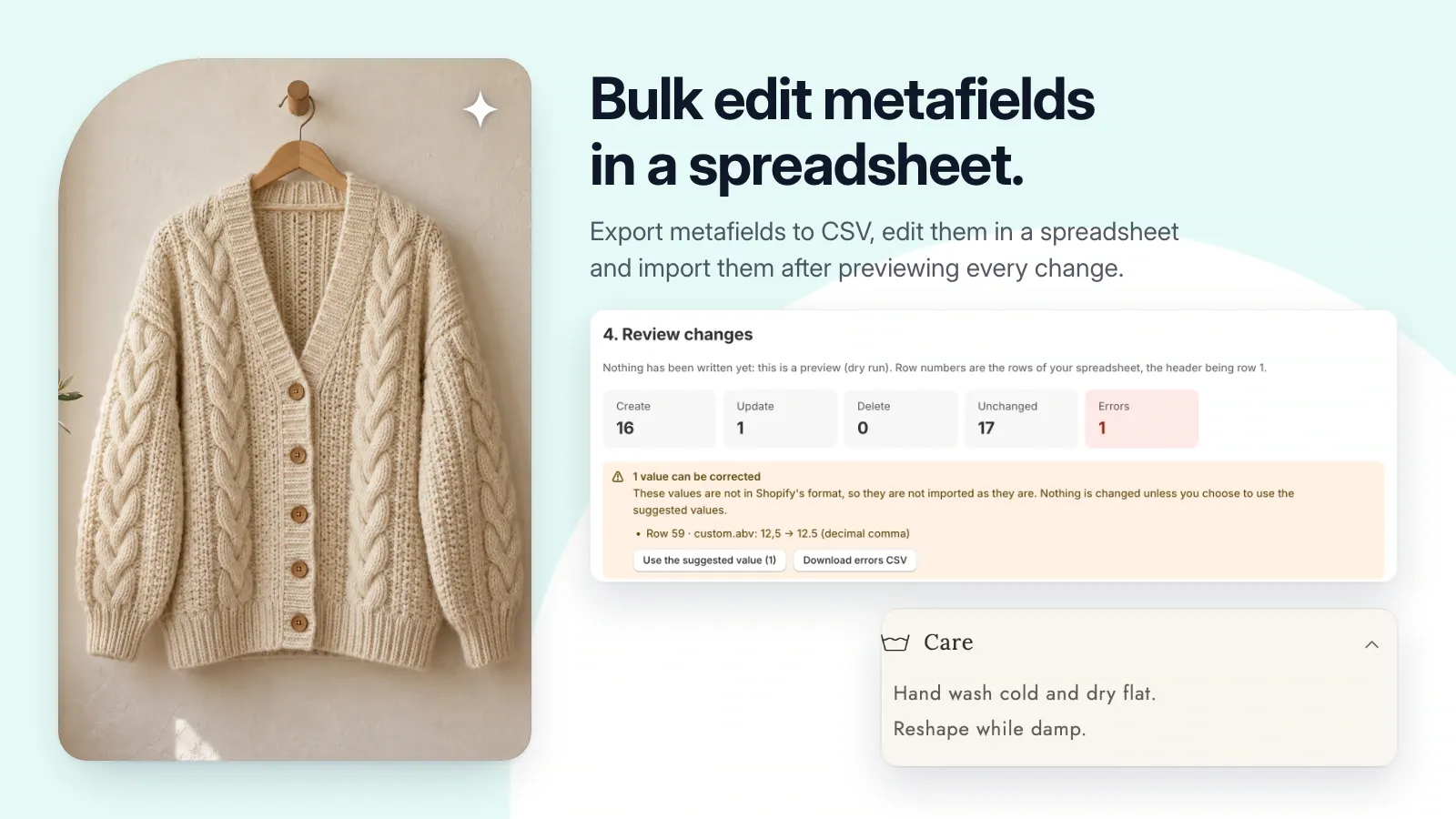
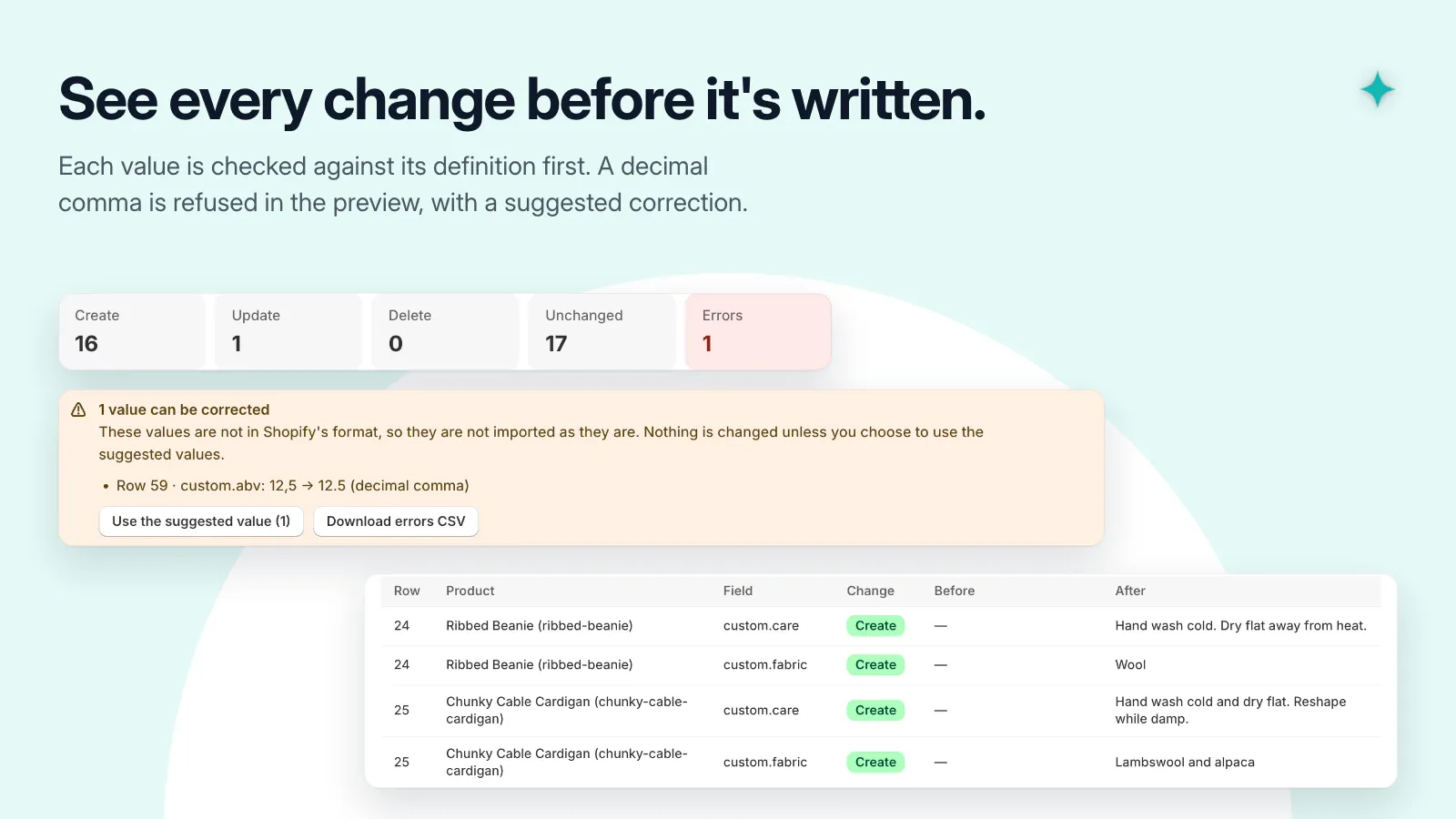
- Validate values against metafield definitions before importing.
- Review creates, updates, deletions, and errors in a dry run.
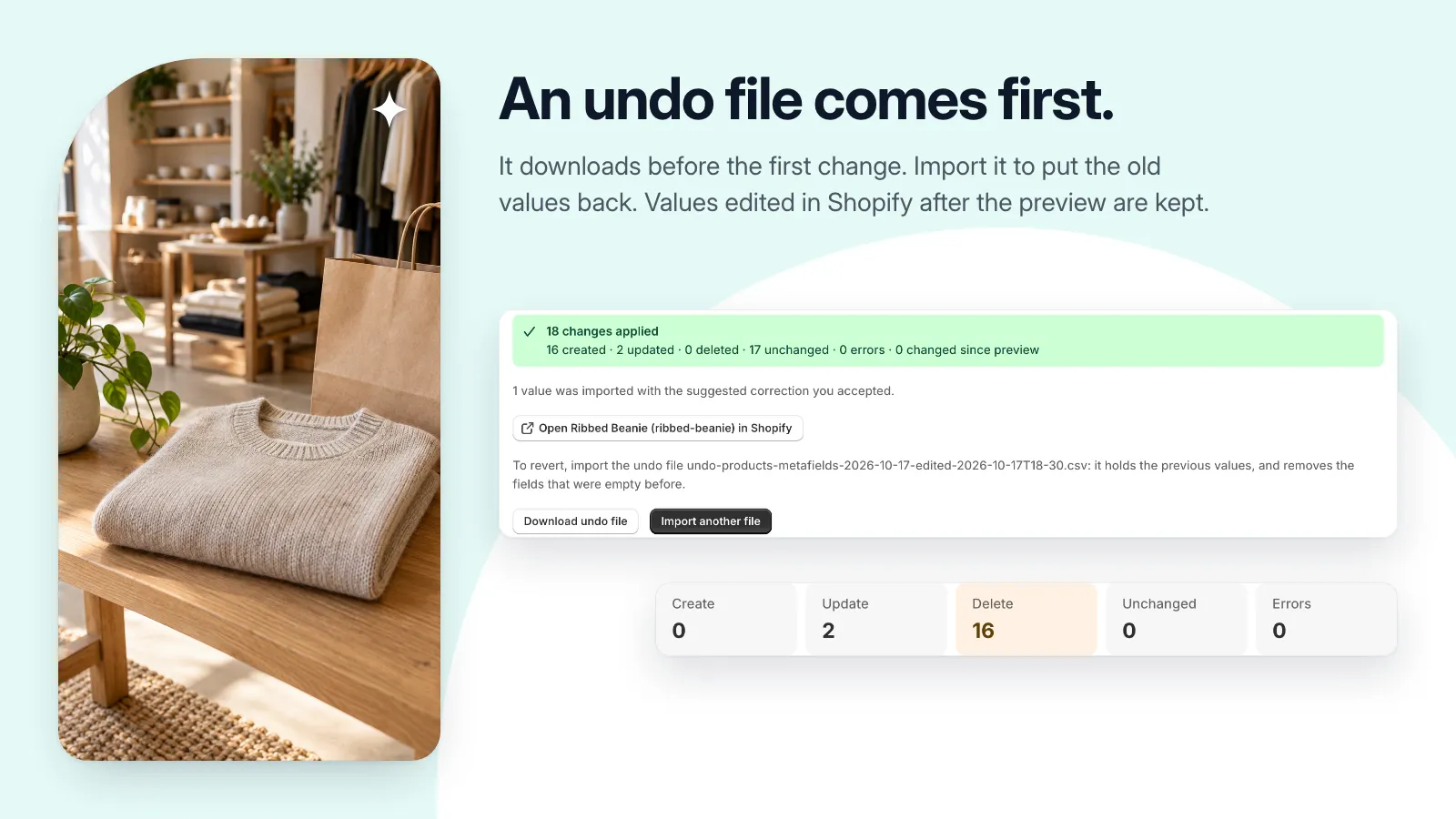
- Download an undo file before the first change; pause and resume imports.
Get set up, step by step.
Use this guide when the app becomes available. Finish by checking the result in your own store.
- Export the product, variant, or collection metafields you want to edit, and keep an untouched copy.
- Edit the CSV in your spreadsheet, keeping identifiers and the metafield column names intact.
- Upload the file, map its columns, and validate. Check the before-and-after preview and resolve errors.
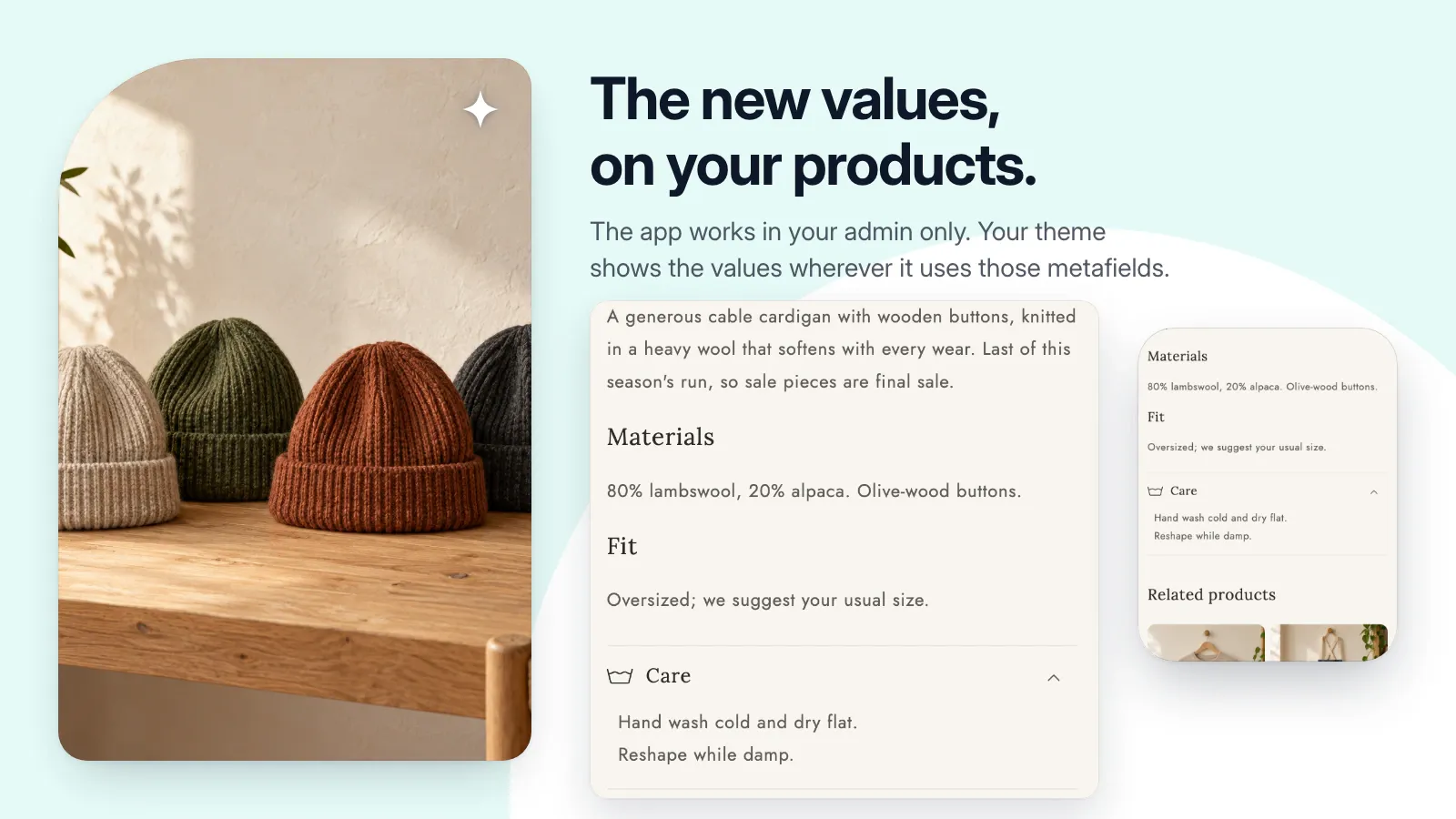
- Download and retain the undo file, apply the changes with the tab open, then read the report and check a sample in Shopify.